As an Amazon Associate, we earn from qualifying purchases. Some links on this site are affiliate links at no extra cost to you. Our recommendations are based on thorough research and editorial judgment.

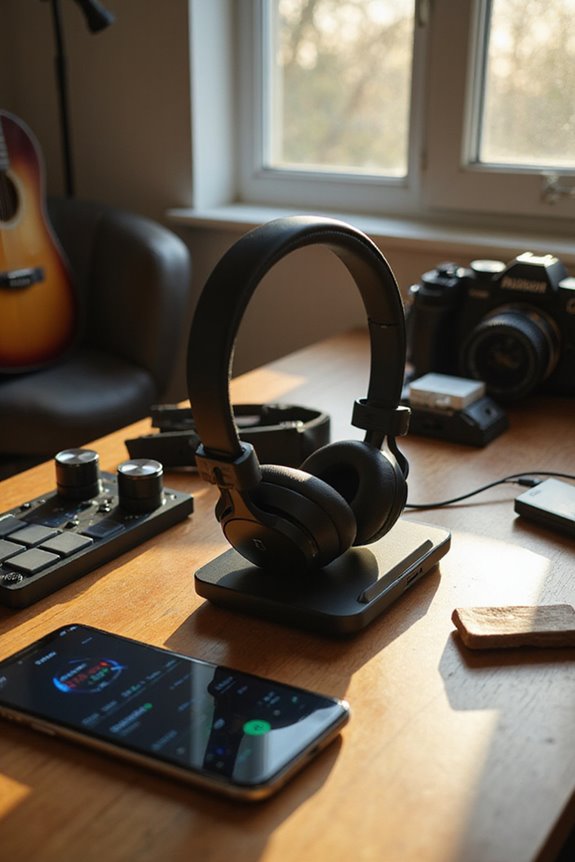
Extending Battery Life Of Wireless Headphones

To extend the battery life of our wireless headphones, we should adopt smart charging practices and optimize our usage. Let’s charge them to 40-60% before storing and unplug them once fully charged. It’s best to keep volume levels moderate, disable active noise cancellation when unnecessary, and maintain Bluetooth connection stability. Regular firmware updates can also enhance battery performance. By making these simple adjustments, we can enjoy longer listening sessions, and there’s more to discover on keeping our headphones in peak condition.
Key Takeaways
- Charge headphones to 40-60% before storage and avoid full discharges to prolong battery lifespan.
- Lower volume settings to 50-70% and disable unnecessary features like ANC when not in use.
- Turn off Bluetooth when headphones are not in use and stay close to the connected device for better stability.
- Regularly update firmware to enhance battery management and fix bugs that may lead to unnecessary drain.
- Clean charging ports and store headphones in a cool, dry place to prevent damage and maintain battery health.
Understanding Battery Technology
You may be interested



When it comes to wireless headphones, battery technology is a key player in our listening experience. Most of us rely on lithium-ion batteries due to their impressive energy density and lightweight design. These batteries offer high efficiency, allowing us to enjoy longer playback times while keeping our headphones compact. However, we need to be mindful of degradation factors that can impact battery lifespan, which typically spans 2 to 3 years with 300-500 charging cycles. Component interactions, including those with Bluetooth antennas and microphones, can affect real-world performance. Additionally, effective thermal management is essential, as heat can accelerate battery degradation. By understanding these elements, we can optimize our headphone usage and potentially extend battery life, enhancing our overall experience.
Optimizing Headphone Settings
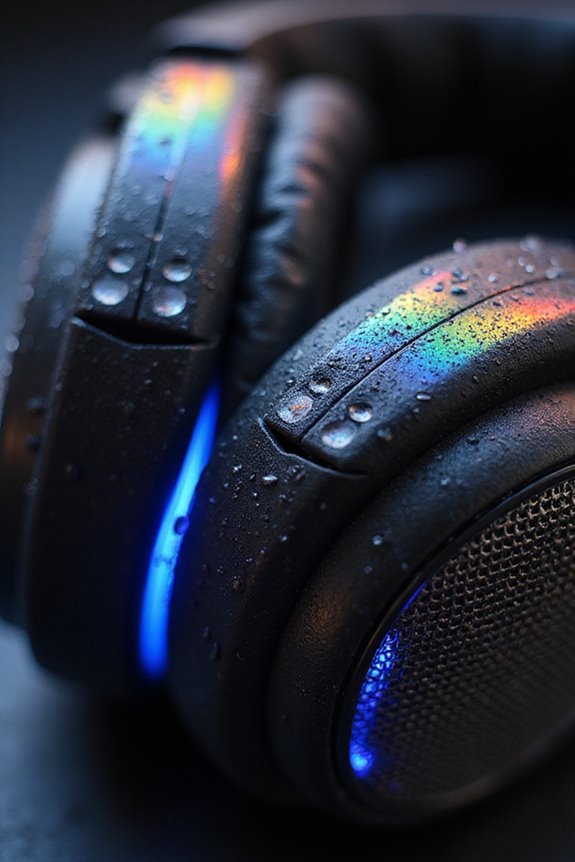
To make the most of our wireless headphones, optimizing settings can greatly enhance battery life without sacrificing our listening experience. First, let’s lower our volume settings to around 50-70%. This simple adjustment can considerably reduce power consumption. Additionally, we should consider disabling active noise cancellation (ANC) when it’s not necessary, as it can drain battery life by up to 20%. If we’re not using spatial audio or certain audio enhancements, turning them off can also help extend battery life. For those times when we need less distraction, using Transparency Mode strategically can save power too. By making these small changes, we can enjoy longer listening sessions while preserving the quality of our audio experience.
Recommended Products

[Safe Volume & Hearing Protection]-Designed for toddlers and kids aged 3+, these Midola headphones focus on safe listening without Active Noise Cancellation. A dedicated dB button allows one‑click toggling between 85dB hearing‑safe mode and 94dB (parental guidance). In wired mode, the volume defaults to 85dB for consistent protection. A key lock prevents accidental changes.

[Free Up Your Hands] Light is needed everywhere in life, wear CENSGO bluetooth beanie with a light, enjoy your music time, start your easier life. Ready to go fishing, jogging, waking the dog, repairing, arounded the house or work needed light, do what you want to do without heavy flashlight and earphones

[Safe Volume & Hearing Protection]-Designed for toddlers and kids aged 3+, these Midola headphones focus on safe listening without Active Noise Cancellation. A dedicated dB button allows one‑click toggling between 85dB hearing‑safe mode and 94dB (parental guidance). In wired mode, the volume defaults to 85dB for consistent protection. A key lock prevents accidental changes.
Managing Bluetooth and Connections
Managing Bluetooth connections effectively can greatly enhance our wireless headphone experience while also extending battery life. By focusing on Bluetooth stability, we minimize unnecessary power drain from retransmissions and reconnections. For example, turning off Bluetooth when we’re not using our headphones can save battery on both the headphones and our devices.
Utilizing Bluetooth Low Energy (BLE) where possible is another smart move, as it considerably reduces power consumption. Staying close to our connected device also helps maintain a strong connection, lowering transmission power.
Let’s not forget about connection management; disconnecting unused devices prevents interference and reduces background scanning. By prioritizing single device pairing, we streamline our connections and enjoy longer listening sessions.
Recommended Products

Bluetooth 5.4 + Broad Compatibility - Provides Bluetooth 5.4 plus EDR technology and is backward compatible with Bluetooth V5.3/5.0/4.2/4.0/3.0/2.1/2.0/1.1.

This Bluetooth adapter for PC utilizes the latest Bluetooth 6.0 EDR technology, delivering faster data transfer speeds, seamless high-quality audio/video streaming, and efficient large-file transfers.

INSTANT BLUETOOTH ACCESS: Bluetooth dongle adapter receiver for PCs converts non-Bluetooth devices into Bluetooth-capable with simple USB connection
Charging and Battery Care
Charging and battery care are vital for guaranteeing our wireless headphones remain functional and last longer. To maximize our battery health, we should adopt proper charging practices. For instance, it’s important to unplug our earbuds once they’re fully charged, even if they have overcharge protection. Using the original charger guarantees peak current, while charging them regularly helps avoid complete battery drain. We must also keep charging ports clean to prevent debris buildup and moisture damage, safeguarding proper battery protection. Additionally, we should avoid extreme temperatures during charging, as they can harm battery cells. By following these guidelines, we can extend the lifespan of our wireless headphones and make sure they remain reliable for our listening needs.
Recommended Products

Dual Charging, Zero Downtime: It is designed for the PS5 ecosystem, which can charge your PS5 controller & gaming headset at the same time, fully charging devices in just 6 hours. Featuring charging contacts/interfaces fully compatible with official PS5 accessories, this charging dock eliminates cable clutter and reduces outlet congestion – all designed to maintain a clean, battle-ready setup. The dock does not support charging XBOX series controllers.

[Upgrade Your Setup] All-in-One Desk Solution Declutter your space with a Qi-certified 15W fast wireless charger, RGB headphone stand, LED alarm clock, and touch-control mood light—all in one sleek device. Perfect for gamers, music lovers, and work-from-home pros.

Our 3-Year Promise to You:🛡️ 3-Year Coverage – Full protection against manufacturing defects.💰 Free Replacement – We send you a new one, completely free.📦 No Return Needed – Keep the old one. No wasting time at post offices.
Usage Habits for Efficiency
When we consider how to get the most out of our wireless headphones, our usage habits play a crucial role in maximizing efficiency and prolonging battery life. To start, let’s practice earbud rotation; switching between the left and right earbuds helps balance battery wear. Keeping volume levels moderate is key, too, as high settings can drain power by over 30%.
We should also be temperature aware; avoiding extreme heat or cold guarantees our headphones perform at their best. Remember to take breaks during long listening sessions, allowing our devices to cool down. Using power-saving modes and turning off features we don’t need can further enhance battery longevity, making our listening experience more enjoyable and less stressful.
Updating and Maintenance
Keeping our wireless headphones in top shape goes beyond just mindful usage habits; regular updates and maintenance play a considerable role in extending their battery life and overall performance. We should regularly check for firmware updates through the manufacturer’s app to guarantee headphone performance is optimized. Installing these updates while connected to a power source helps prevent mid-update interruptions. New firmware often includes battery efficiency improvements that can greatly reduce power consumption. After updating, restarting our headphones is essential for applying changes effectively. Additionally, managing companion app features can help balance convenience and battery life on both our headphones and smartphones. By prioritizing firmware compatibility and maintenance, we can maximize the longevity of our wireless headphones.
The Impact of Active Noise Cancellation
Active Noise Cancellation (ANC) technology offers a remarkable way to enhance our listening experience by blocking out distracting sounds, but it comes at a cost to our headphones’ battery life. The efficiency of ANC systems varies; higher intensity settings drain our battery more quickly, especially when tackling high-frequency noise, like keyboard typing or subway sounds. These frequencies demand greater power due to their complexity. To maximize battery life, we should activate ANC only in noisy environments and consider reducing its intensity in quieter settings. By understanding how noise frequencies impact power consumption, we can strategically manage our ANC usage, ensuring we enjoy superior sound quality while extending our headphones’ playback time. Balancing ANC and battery life is essential for a peak experience.
Recommended Products

Hybrid Active Noise Cancelling: 2 internal and 2 external mics work in tandem to detect external noise and effectively reduce up to 90% of it, no matter in trains or offices.

Block the World, Keep the Music: Four built-in mics work together to filter out background noise — whether you're in a packed office, on a crowded commute, or moving through a busy street — so every beat comes through clean and clear. (Not available in AUX-in mode.)

INCREDIBLE SOUND: Custom acoustic platform delivers rich, balanced audio for music, calls and everyday listening.
Choosing the Right Audio Settings
To get the most out of our wireless headphones, it’s essential to choose audio settings that balance sound quality and battery life. By adjusting our streaming settings, we can greatly extend usage time. Opting for medium audio quality instead of high can maintain decent sound while conserving battery. For instance, lowering the streaming quality can save us several hours of playtime.
We should also manage volume levels between 50% to 70% to prevent unnecessary battery drain—playing at max volume can reduce battery life by up to 30%. Additionally, disabling features like active noise cancellation when we don’t need them can further enhance battery longevity. Let’s take these simple steps to enjoy longer listening sessions with our wireless headphones!
Recommended Products
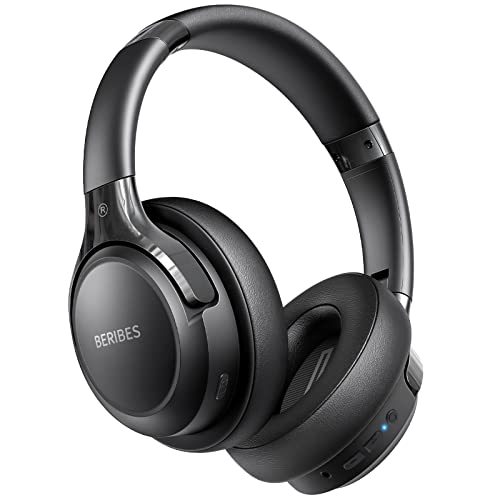
65 Hours Playtime: Low power consumption technology applied, BERIBES bluetooth headphones with built-in 500mAh battery can continually play more than 65 hours, standby more than 950 hours after one fully charge. By included 3.5mm audio cable, the wireless headphones over ear can be easily switched to wired mode when powers off. No power shortage problem anymore.

【ASTONISHING SOUND PRODUCTION 】: High Definition Stereo Headphones, specially developed software and noise reduction technology designed to prevent you from heating ambient noises and makes you focus on what you want to hear. Lose yourself in immersive music even in the lowest volume levels! The goal that provide Customers with outstanding sound quality is our constant pursuit.
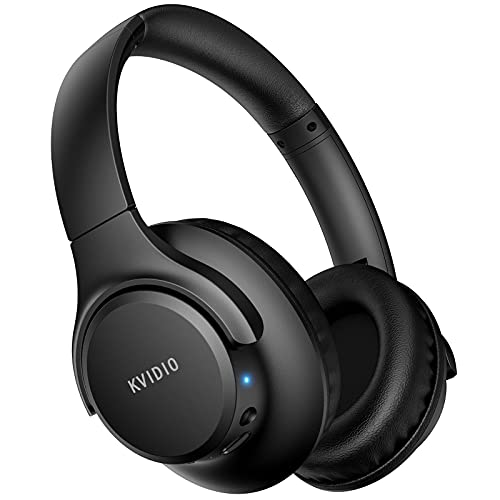
Stereo sound headphones: KVIDIO bluetooth headphones with dual 40mm drivers, offers an almost concert hall-like feel to your favorite music as close as you're watching it live. Provide low latency high-quality reproduction of sound for listeners, audiophiles, and home audio enthusiasts
Importance of Firmware Updates
When we consider how to extend the battery life of our wireless headphones, keeping firmware updates in mind is vital. Regular updates can enhance battery management algorithms, leading to improved playback time and reduced power consumption. For instance, manufacturers often release updates based on real-world usage data, specifically aimed at boosting battery life. These firmware benefits can fix bugs that cause unnecessary battery drain, ensuring our headphones perform efficiently. It’s important to check for updates frequently, as some models, like the Sony WF-1000XM4, may introduce new features that impact battery usage. By consistently applying updates while our headphones are charged, we help maintain ideal battery longevity throughout the product lifecycle.
Best Practices for Long-Term Storage
Proper storage of our wireless headphones can greatly influence their longevity and performance. First, let’s choose secure storage solutions—dedicated spots like a zippered pocket in our backpack or a headphone shelf can protect against damage and theft. We should also consider environmental factors; storing headphones in a cool, dry place away from direct sunlight prevents material degradation. Utilizing protective cases is essential—they keep our headphones safe from dust and accidental tangling while maintaining battery health. Before we store them, let’s confirm they’re charged to about 40-60% and clean from dust using a soft cloth. Regularly checking and maintaining our headphones guarantees they’re ready for action whenever we need them.
Frequently Asked Questions
Can I Use My Headphones While Charging Them?
When we’re charging our headphones, it’s best to avoid using them. Charging efficiency drops, and headphone usage can generate excess heat, risking both our safety and the device’s longevity. Let’s prioritize proper care!
Do Environmental Factors Affect Battery Life?
They say, “You can’t control the weather,” but we can control how our devices fare in it. Temperature extremes and humidity levels definitely impact battery life, so let’s keep our headphones in a stable environment.
How Do I Know When My Battery Needs Replacement?
We can tell our battery needs replacement by observing battery indicators like rapid percentage drops, unexpected shutdowns, and swelling. If we notice these replacement signs, it’s time to contemplate a new battery for safety.
Can I Charge My Headphones Overnight Safely?
It appears convenient, but charging our headphones overnight can compromise battery safety. By adjusting our charging habits, we can avoid risks like overheating and extend our headphones’ lifespan without worry.
What Happens if I Drop My Headphones?
If we drop our headphones, the drop impact can seriously compromise headphone durability. Internal components might shift or break, leading to sound issues or structural damage, ultimately affecting our listening experience. We should handle them with care!